Client portal · an add-on for my clients
Know what your website brings in.
Is the website working? Are the ads paying off? Most owners are guessing. The portal answers both once a month, in one sentence: how many real customers reached out, and what each one cost. Here's a 68-second tour.
The tour uses an example month and Johnson Home & Restore's own photos, so no client's real numbers appear.
Before and after
The difference between hoping and knowing.
Without the portal
- You can't say how many customers your website brought last month.
- A robocall counts the same as a real job.
- You pay for ads and take someone's word that they worked.
- You find out a proposal went quiet when it's too late to follow up.
- Reviews depend on whether you remembered to ask.
With the portal
- One sentence each month: real customers, and what each one cost.
- You mark every call Real or Not real, so only real ones count.
- Every ad dollar sits next to the customers it brought.
- You see when a proposal is opened, and get a nudge when it goes quiet.
- Finished jobs trigger a review request on their own.
What you get
Everything your website does for you, in one place.
The answer, in plain English
Your monthly report opens with how many real customers reached out and what each one cost. Under it, four numbers show whether this month beat last month. Every number has a "what this means" line beside it, so you never need to ask what you're looking at.
- Updates every morning, so the current month fills in as it goes.
- Months from before we started stay in, so you can see the change.
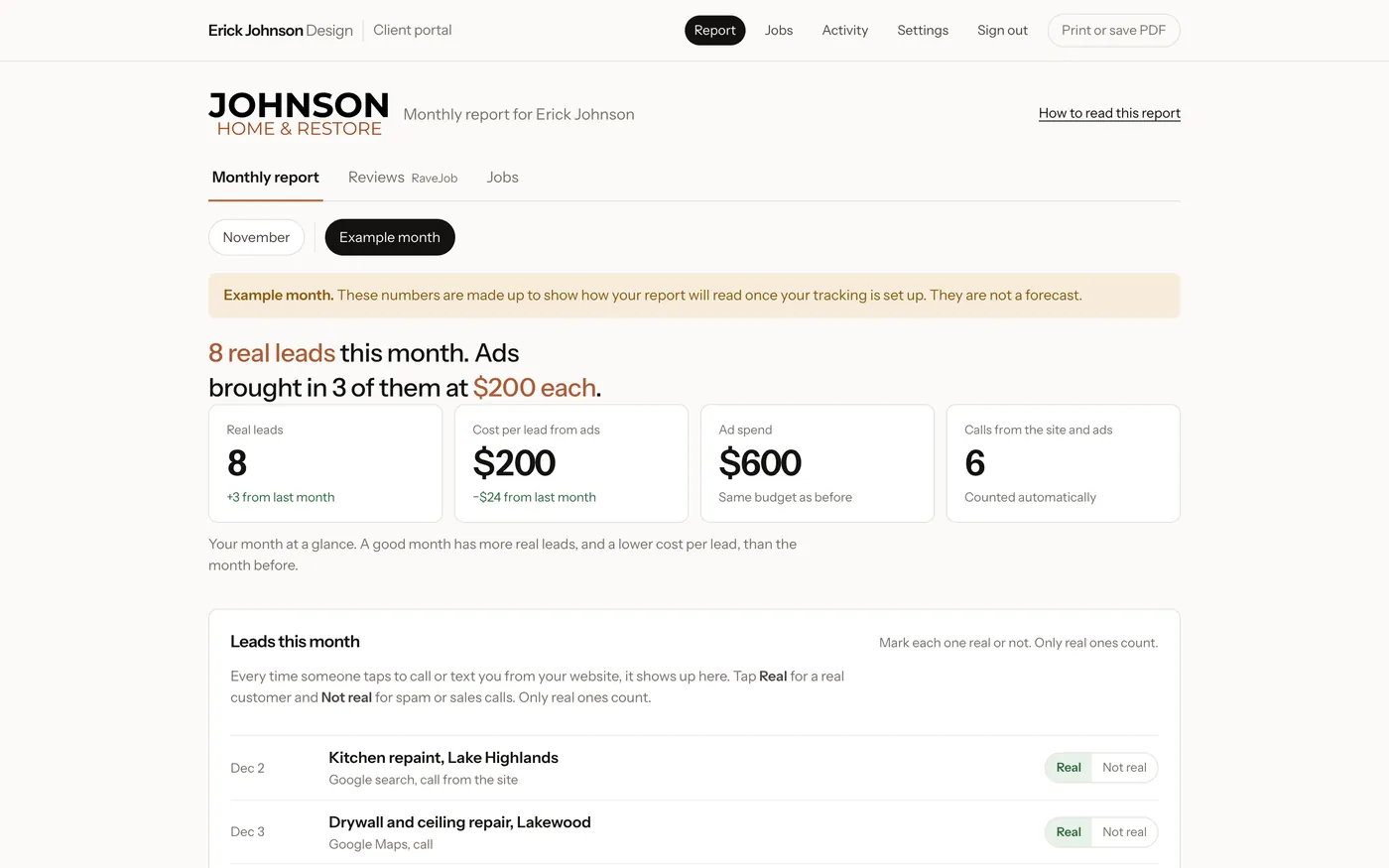
Example month, not real numbers.
Every call and text, and where it came from
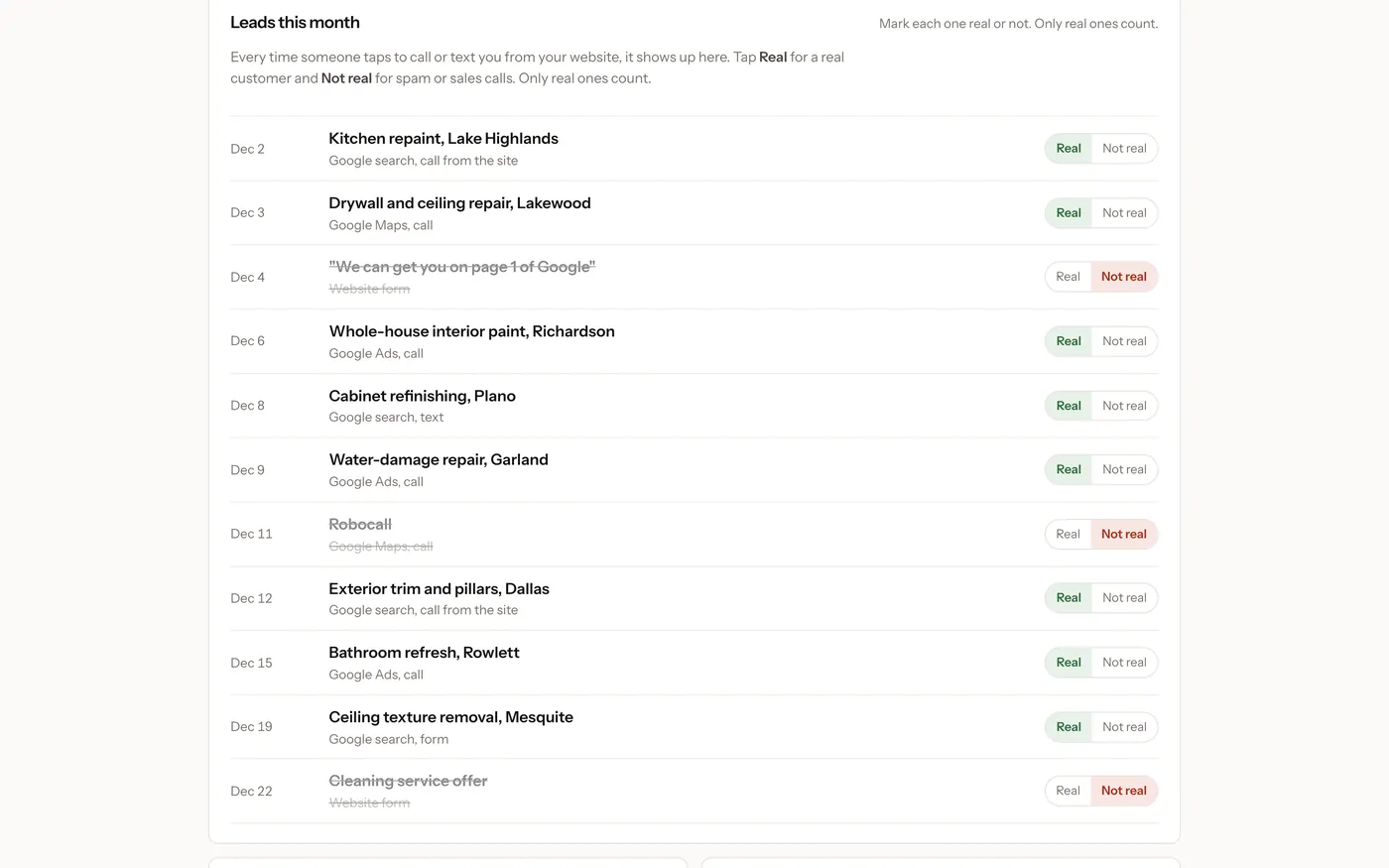
When someone taps your phone number or text link, it lands in your list with the date, the page they were on and how they found you: Google Ads, Google search, Google Maps, another site, or typing your address.
You tap Real or Not real. Robocalls and sales pitches don't count, so your cost per customer stays honest. Turn a real one into a job with one tap.
The counting uses no cookies and stores nothing personal about the visitor.
Are people finding you on Google?
The searches your customers type, and the spot where you show up. Spots 1 to 10 are page one, so smaller is better. Beside it: what I did for you that month, your review count, how fast your site loads on a phone, and whether anything is quietly sending your Google credit to other businesses. Green is good.
The numbers come straight from Google's own Search Console and Analytics.
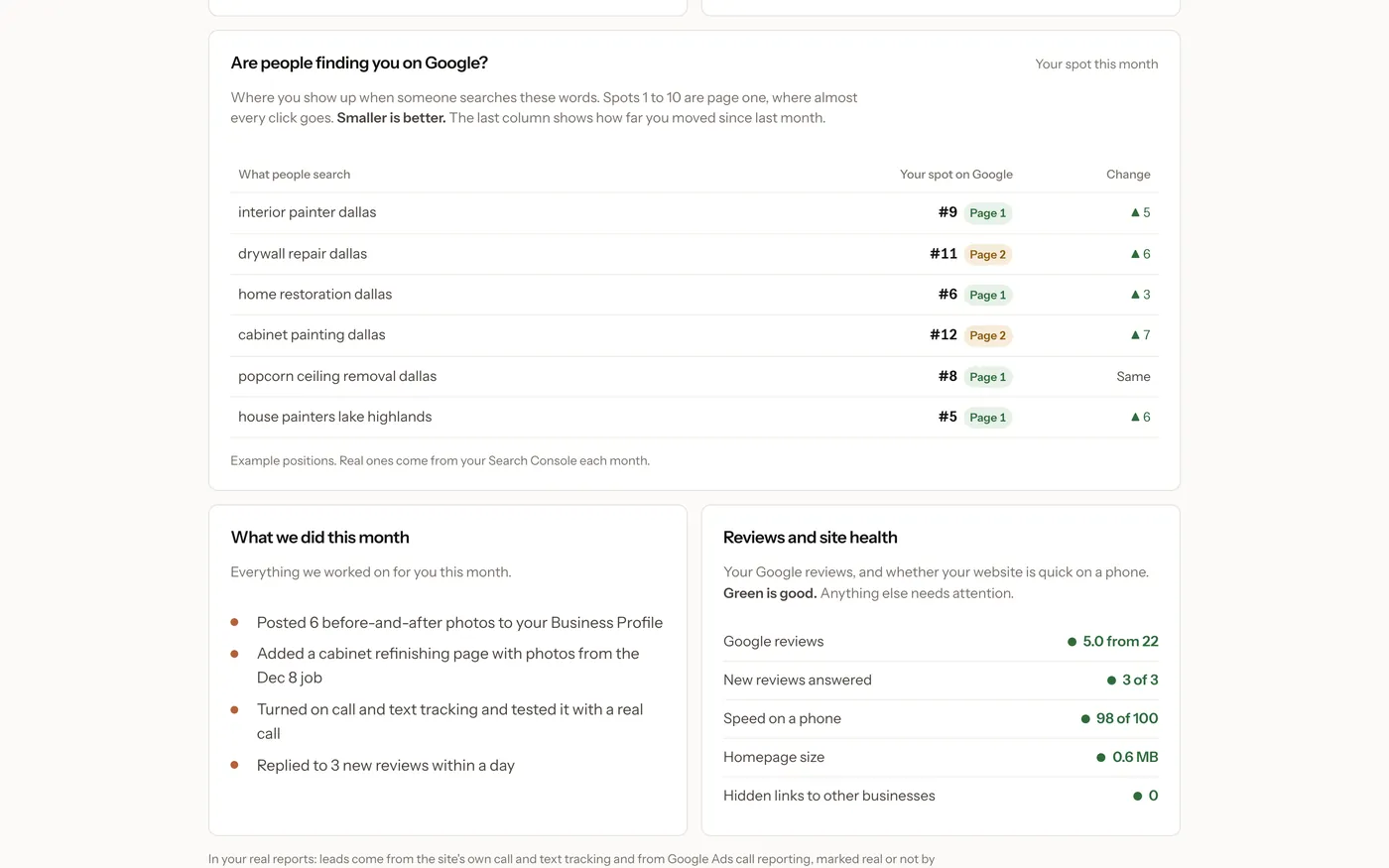
Example positions.
Turn a call into a signed job
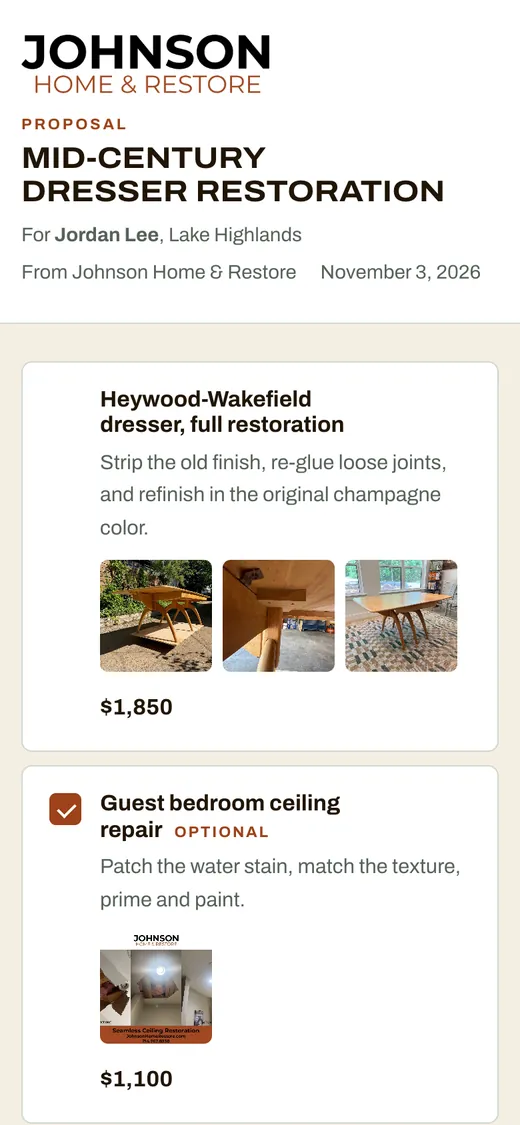
Write a proposal in sections, with a price, a description and photos from your own library. Mark extras as optional. Your customer opens a link on their phone, unticks what they don't want, accepts, and pays the deposit.
- You see when it's opened, and get a reminder when one goes quiet.
- Prices are worked out on the server, so the customer sees exactly what you quoted.
- Save the sections you reuse.
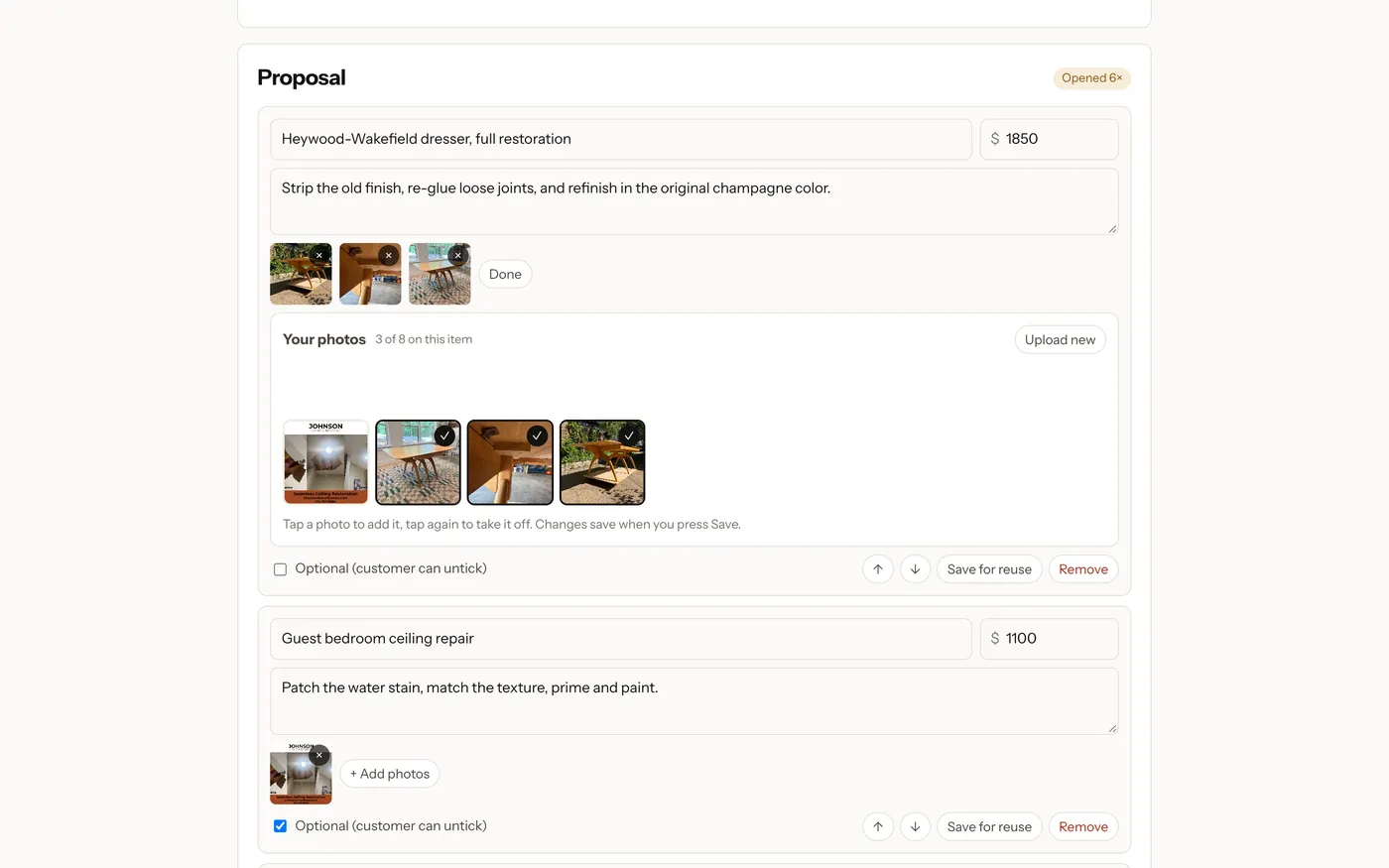
A proposal your customer will remember
A clean page in your business's name and look, with your logo and your photos. Nothing to install and no account to make. It works on any phone.
More reviews, without remembering to ask
When you mark a job Done, RaveJob emails your customer to ask how it went and follows up by text if they don't answer. Happy customers are sent to Google. Anyone who gives three stars or fewer tells you privately first, so you can make it right before it's public.
RaveJob is a separate add-on that works with the portal.
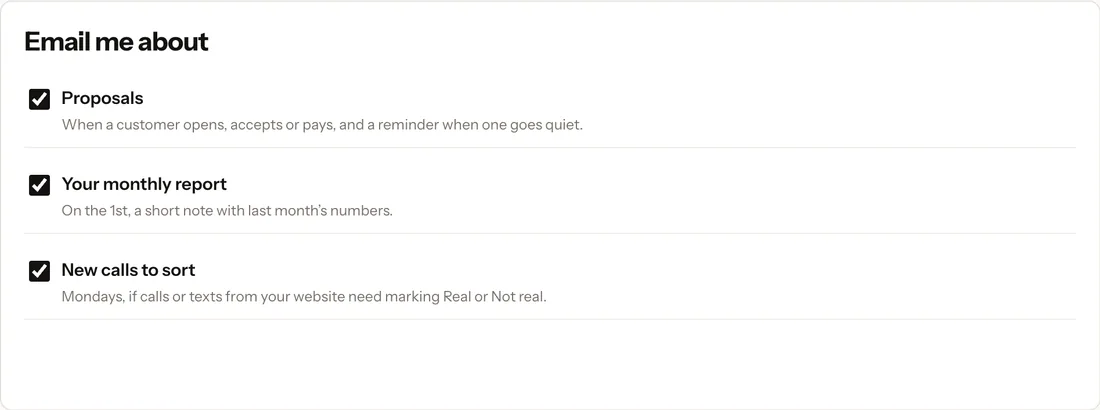
You choose which emails you want.
When a proposal is opened, accepted or paid. When your report is ready. A Monday note if calls still need sorting.
Add anyone who needs to see it. Everyone sees the same report, jobs and proposals.
Opens like an app from your phone, with nothing to type.
Read the narration
- This is your client portal from Erick Johnson Design. Your leads, reviews and jobs, all in one place.
- The first time you sign in, Get started walks you through setup: put it on your phone, add how customers pay you, and invite your team.
- Your monthly report opens with one sentence: how many real customers reached out, and what each one cost.
- Every call or text from your website shows up here. Tap Real or Not real. Only the real ones count. Turn a call into a job with one tap.
- See where people found you, and where you show up on Google. Page one is spots one to ten, so smaller is better.
- Reviews and site health show what needs attention. Green is good.
- Write proposals in sections, and add photos from your library.
- Your customer ticks what they want, accepts on their phone, and pays the deposit.
- When the job's finished, mark it Done, and RaveJob asks your customer for a Google review.
- We'll email you when a proposal is opened, when your report is ready, and when there are new calls to sort.
- Questions? Text Erick anytime. Welcome aboard.
Adding it
I set it up. You just read the report.
I look at your site, your phone number and how customers reach you now.
I add the call and text counting, connect your Google numbers, and put your logo and photos on it.
A short guide walks you through it on your phone. Questions go straight to me.
Next step
Want the portal on your site?
Text me and I'll tell you what it would look like for your business and what it costs. Want to click around first? I keep a demo account with an example month and sample jobs, and I'll set you up with a login.